Power use & admin
Administration: users & roles
Invite teammates and manage roles (admins only).
Administrators manage who can access the workspace and what they can do. You'll only see these tools if you have an admin role.
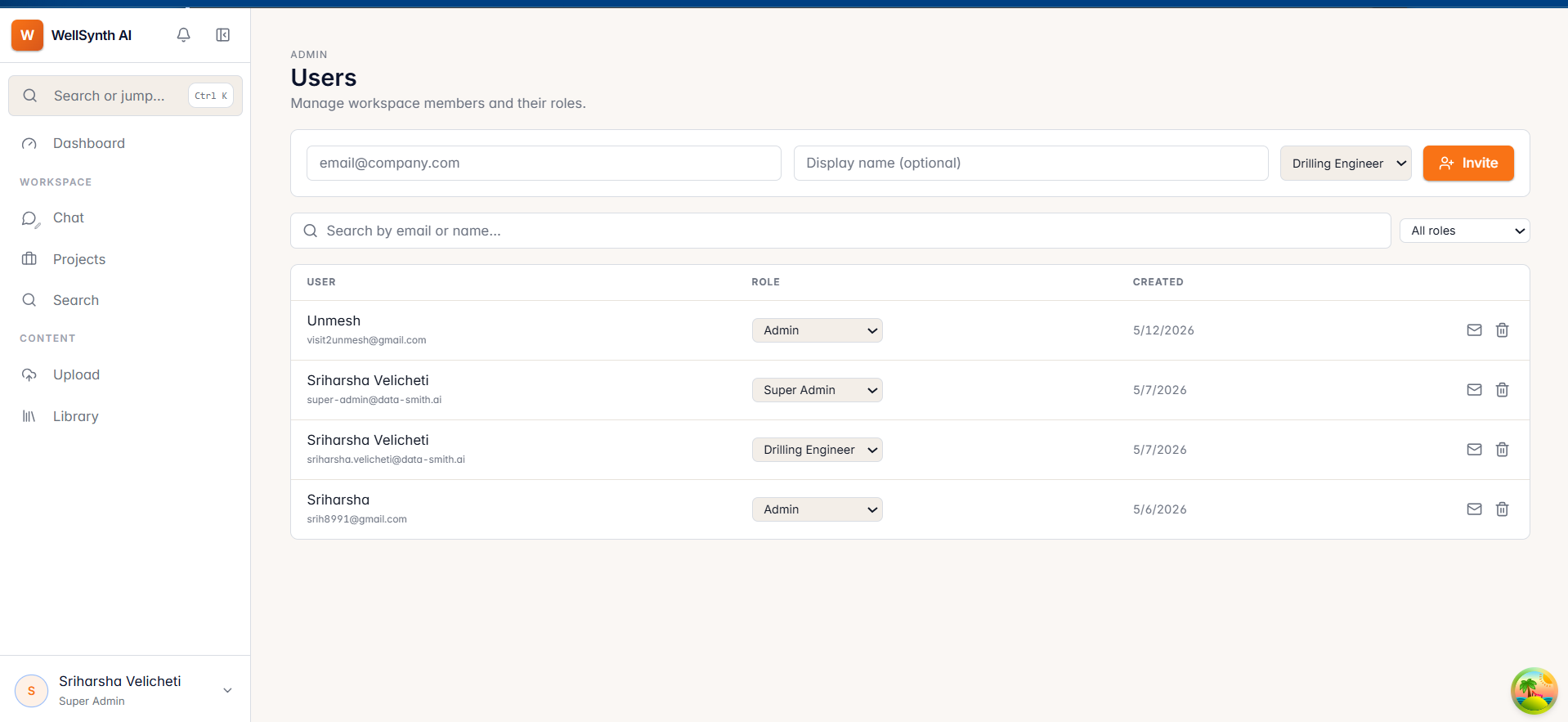
Manage users
- Open Admin → Users from your avatar menu.
- Invite a teammate by entering their email and selecting a role.
- Change a user's role, resend a pending invite, or remove a user from the table.
Roles
Roles determine what each person can see and do; higher roles can assign a broader set of roles. Assign the least privilege needed for someone's work.
Note: invitations are emailed to the user. If a teammate didn't receive theirs, resend it from their row and ask them to check spam.