Core workflows
Searching across your library
Semantic search across text, tables, entities and figures.
Search finds the most relevant passages across your whole library — semantically, not just by keyword.
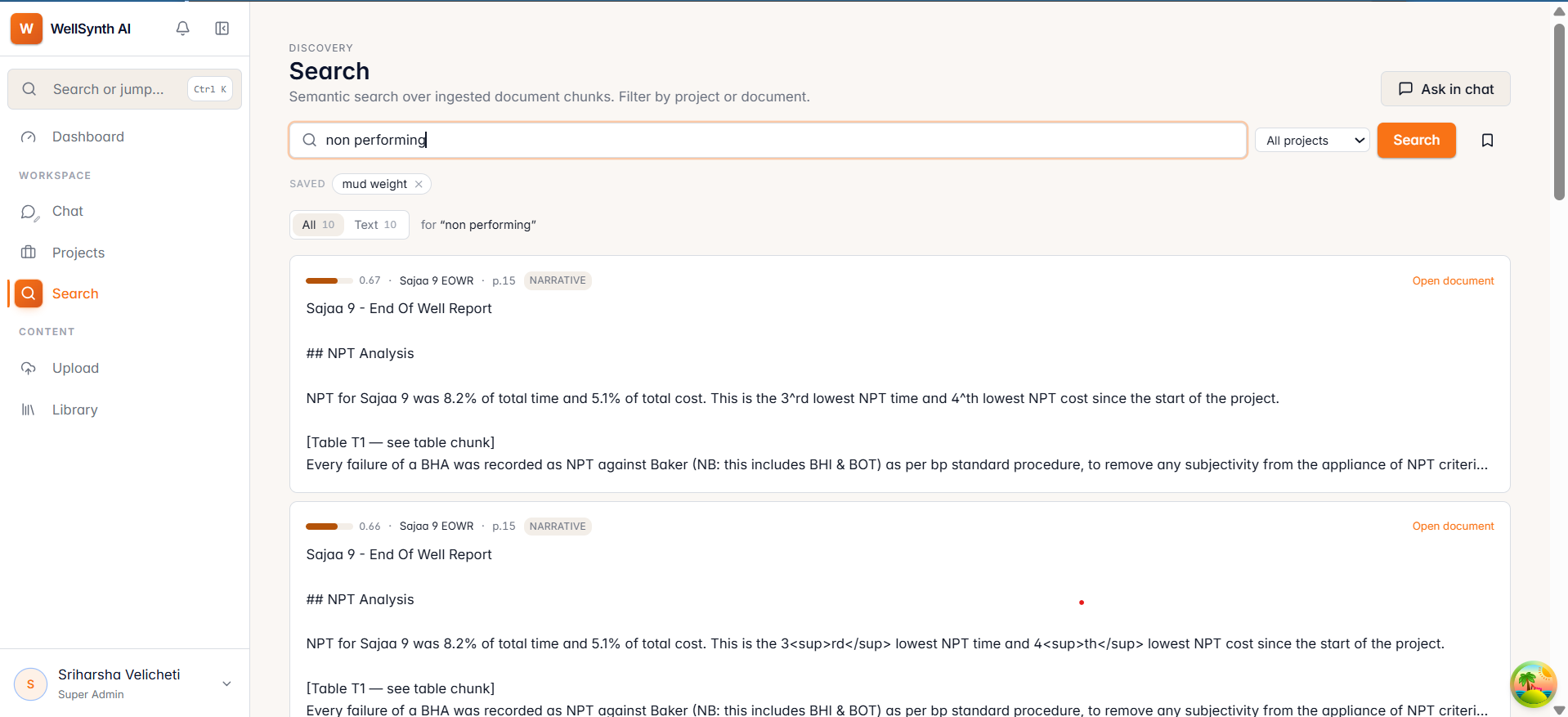
Run a search
- Open Search from the sidebar.
- Type a question or phrase, optionally pick a project to narrow it, and press Enter.
- Results are ranked by relevance, each with a score, the source document and page.
Refine and reuse
- Tabs split results by type: All, Text, Tables, Entities, Images — handy when you only want, say, a table.
- Open document jumps to the exact page; Ask in chat sends your query into chat to explore conversationally.
- Saved searches keep your recent queries one click away.
Tip: start broad in Search to see what exists, then switch to Chat via Ask in chat when you want a synthesized, cited answer.