Core workflows
Your document library
Filter, sort and manage everything you've ingested.
The Library (Documents) is every file you've ingested, with its status and metadata.
Find documents
- Open Library from the sidebar.
- Filter by filename, project, or status — All / Completed / Processing / Failed / Pending — each with a count.
- Sort by filename, status, page count or ingestion date by selecting a column header.
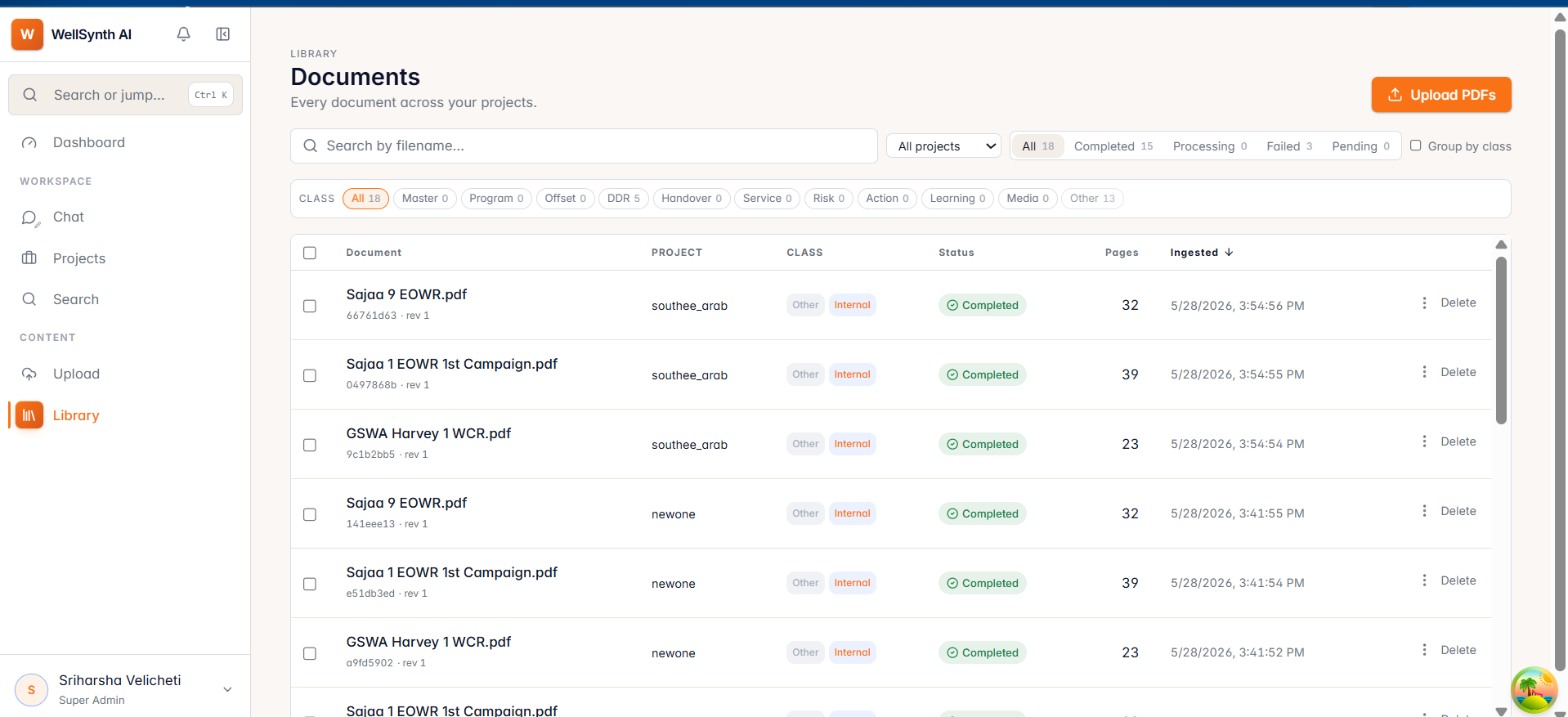
Hover a row to preview its first page; select a row to open the document reader.
Work in bulk
Select multiple documents to act on them together from the bar that appears:
- Move or classify documents.
- Delete documents you no longer need — you'll confirm first.
Tip: after a big upload, filter to Failed to quickly spot and retry anything that didn't ingest cleanly.