Power use & admin
Getting help & support
The in-app FAQ and how to file a support ticket.
Need a hand? Help is built into the app.
Find answers fast
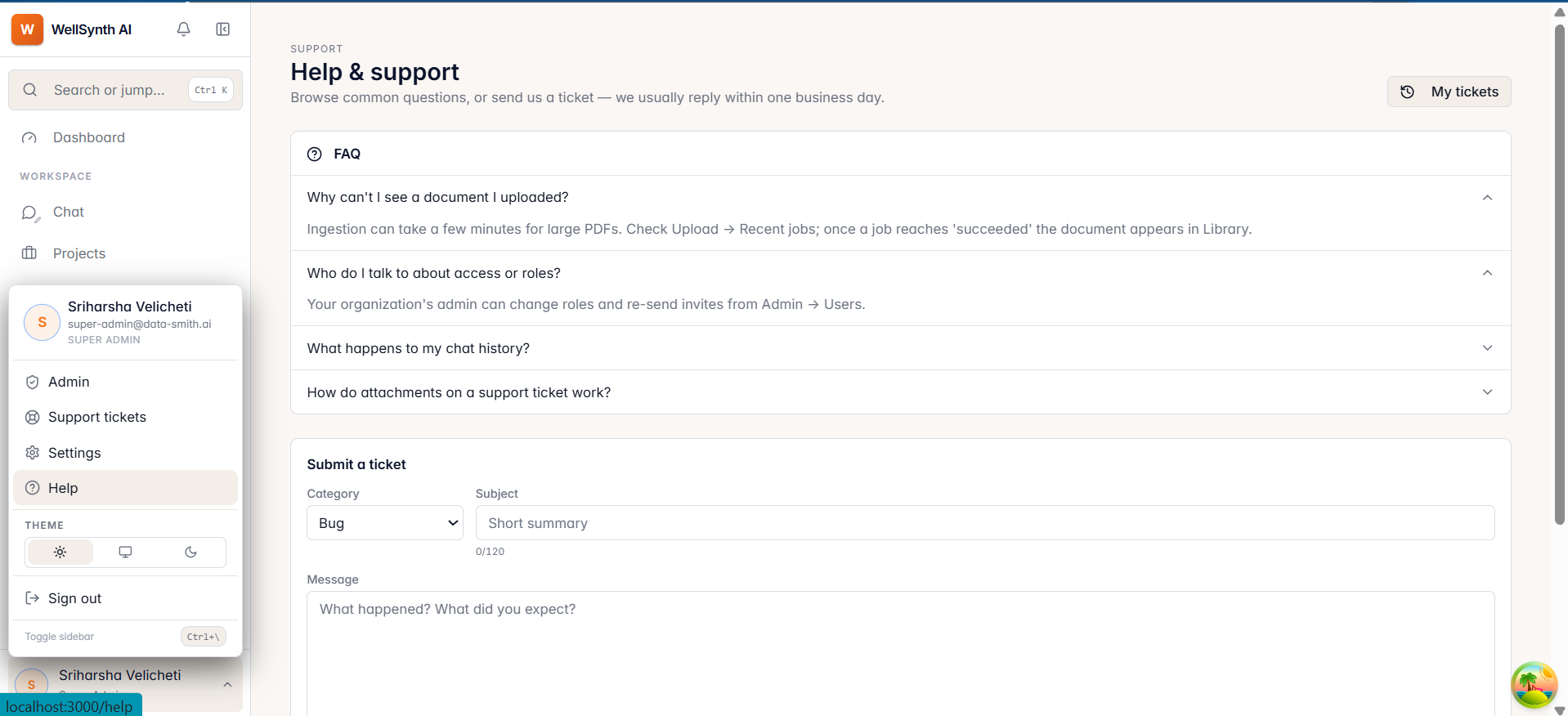
- Open Help from your avatar menu.
- Browse the FAQ for common questions — missing documents, access and roles, chat history, and attachments.
Contact support
If the FAQ doesn't cover it, submit a ticket:
- Choose a category — bug, feature request, account, or other.
- Add a subject and message, and optionally attachments (PNG / JPEG / PDF / TXT).
- Leave Include diagnostics checked to attach helpful technical context (browser, page, app version) — it speeds up resolution.
- Select Submit. Track replies under My tickets.
Tip: a screenshot plus the steps to reproduce gets bugs fixed much faster — that's exactly what the attachments field is for.