Core workflows
Organizing work with projects
Group a well or field's documents so chat and search stay focused.
Projects keep a well, field or study's documents together so your questions and searches stay focused on what matters.
Create a project
- Open Projects from the sidebar.
- Enter a name (required) and an optional description.
- Select Create — your new project appears in the grid.
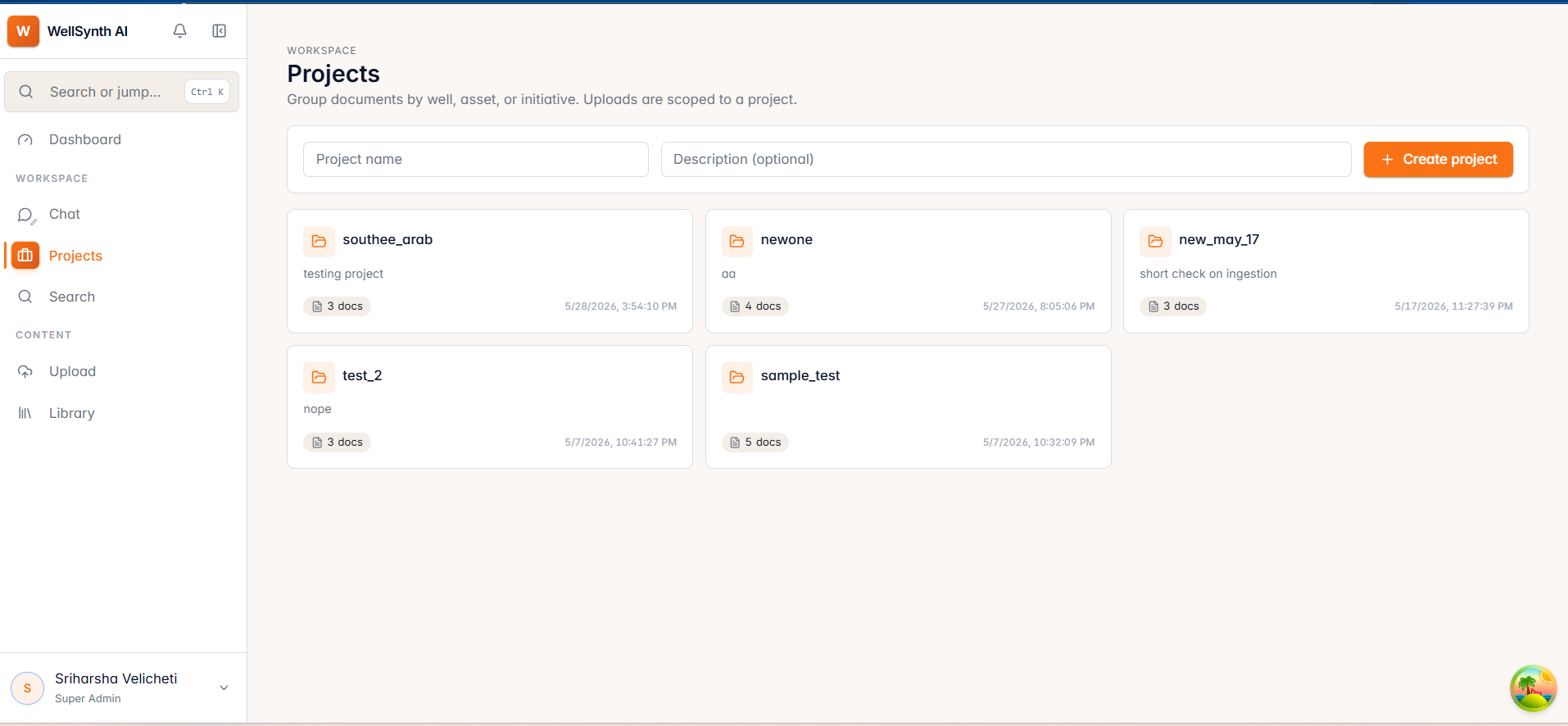
Each project card shows its document count and last updated date. Select a card to jump straight to that project's documents.
Tips for organizing
- Create a project per well or field so chat and search can be scoped to it.
- You can also create a project on the fly while uploading (see the next section).
- Remove an empty or obsolete project from its card — you'll be asked to confirm.
Tip: scoping a chat or search to a project dramatically improves answer relevance — set up projects before a big upload.