Core workflows
Uploading & ingesting documents
Drop in PDFs and watch WellSynth extract and index every page.
WellSynth ingests PDF well reports, logs and programs. Drop them in and it extracts and indexes every page — text, tables and figures.
Upload documents
- Open Upload from the sidebar.
- Choose a destination project, or select + New project to create one inline.
- Drag and drop your PDFs onto the drop zone, or select Choose files. You can add many at once.
- WellSynth queues each file and begins processing.
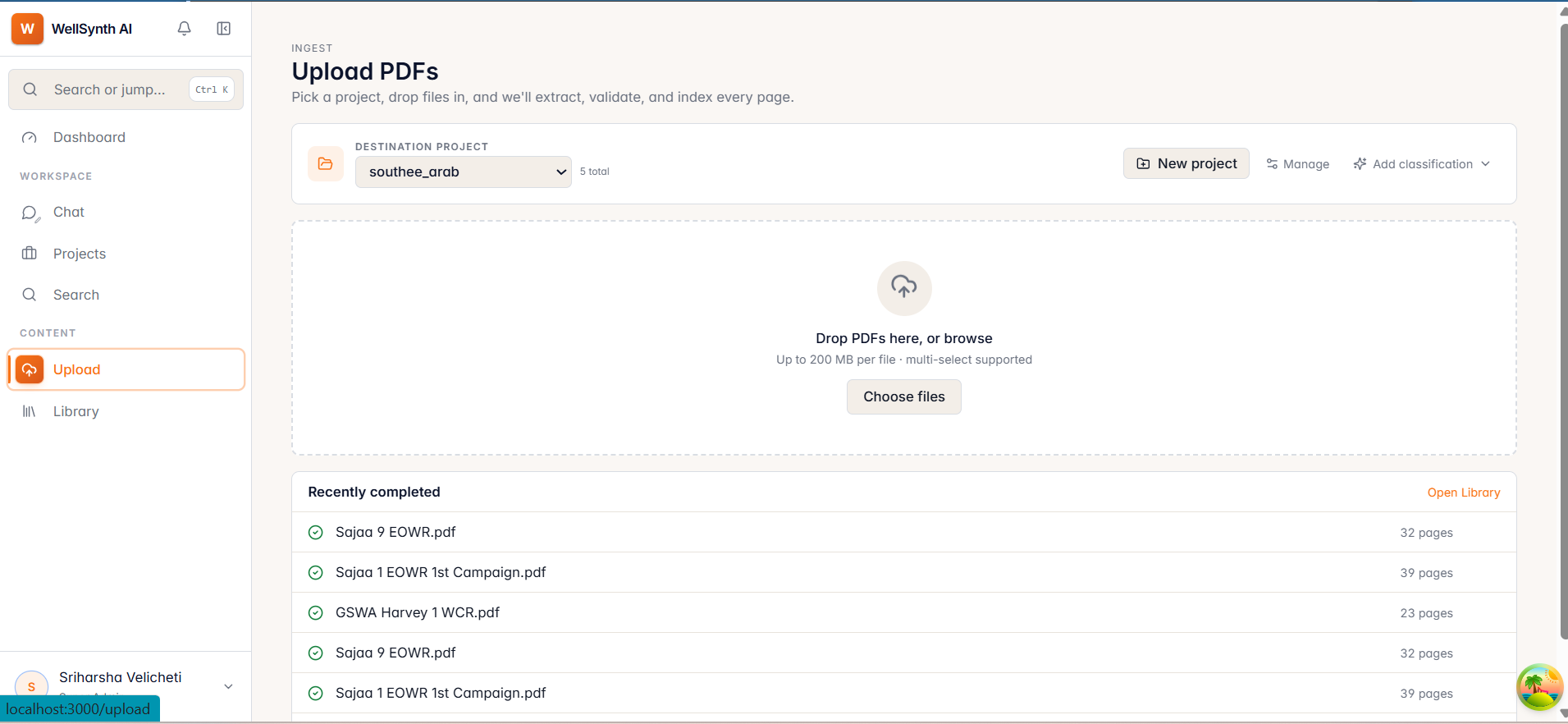
- Accepted format: PDF, up to 200 MB per file.
- A live list shows each file's phase (e.g. OCR, chunking, indexing) with an estimated time remaining.
While files process
- Each file shows a progress bar and phase label — hover a phase for an explanation.
- A "safe to leave this page" banner means ingestion continues in the background — you can navigate away or close the tab.
- Retry any file that fails, or remove it from the list.
- Finished files appear under Recently completed with links to open or ask about them.
Note: a document only becomes searchable once its status reaches Completed. If you can't find something you just uploaded, check its status in the Library.